


How fast is the LeoSpins sign-up?
38 seconds. That is my stopwatch time on a mid-range Android over 4G, from tapping Register to the e-mail confirmation screen. LeoSpins asks for an e-mail address and a password. No name, no address, no date of birth at this stage. The form slides in from the right on desktop and fills the screen on mobile, with the 50 free spins offer for The Ultimate 5 sitting on top.
The short form is nice, but it moves the paperwork to later. Your date of birth goes in the profile, and your ID, selfie and proof of address come before the first withdrawal. Plan for that and nothing surprises you.
Where do you log in to LeoSpins?
On desktop the orange Log in button sits top right, next to Register. On a phone it lives in the bottom bar: Home, Search, Log in. Tap it and a sheet opens with the LeoSpins logo, two fields and a big Sign in button. Under the button sit two links: Forgot password and Register.
This form opens the official LeoSpins site in a new tab. Your password is never stored here.
If the button does nothing, look at the e-mail field first. A space at the end of a pasted address is the most common reason a correct login fails.
What do you get after creating an account?
An account is free, and it opens the parts of LeoSpins a guest never sees. Right after sign-up you get:
- 50 free spins on The Ultimate 5 once you confirm your phone and allow notifications.
- Bonus packs of 400, 300 or 200 free spins, or 200% on slots, from your first deposit.
- Leo Cash, the treasure chest that pays an instant cash prize after every deposit.
- Drop spins that arrive on set days by notification.
- A cashier with PayID, Interac, Pix, cards, Apple Pay and Google Pay, depending on your currency.
- Your own limits: a 7 day cool-off or self-exclusion for 6 months or longer through support.
Two fields and a tick box. Your 50 free spins are waiting on the other side.
Create free accountHow is your LeoSpins account protected?
The site runs on HTTPS and the payment window opens in a separate secure page with the note "Secure payment · Your details are encrypted". There is no two-factor login app. What LeoSpins uses instead is a phone confirmation: one number can only be confirmed on one account. If someone tries your number on a second account, they get "This phone number has already been verified on another account".
The operator, Spinsoft Interactive N.V., works under Anjouan licence ALSI-192407033-FI2 and runs KYC before money leaves. That is a nuisance on day one and a safety net on day thirty, because a stranger who guesses your password still cannot cash out to their own card.
Use a password you do not use anywhere else. LeoSpins accepts 7 characters, but 12 or more with a number and a symbol takes seconds to set and is much harder to guess.
Changing your password later is in the profile under Change password. The form wants your current password and a new one of at least 6 characters, and shows "Your password has been updated" when it works.
How do you register at LeoSpins?
- Tap Register. Top right on desktop, top bar on mobile. The panel shows the 50 free spins offer.
- Type your e-mail and a password. The eye icon shows the password so you can spot typos.
- Tick the box. "I am 18 years old and I accept Privacy Policy and Terms and Conditions." Then tap Create free account.
- Open your inbox. Tap the link in the LeoSpins mail. A success message appears and you land on the login page.
- Confirm your phone. Enter your number, choose a code by SMS or a phone call, type the code, and turn on notifications for the 50 spins.
On iPhone, step five has a catch. Notifications only work after you add LeoSpins to the Home Screen from Safari, so do that before you tap Claim bonus. Chrome on Android asks once and that is it.
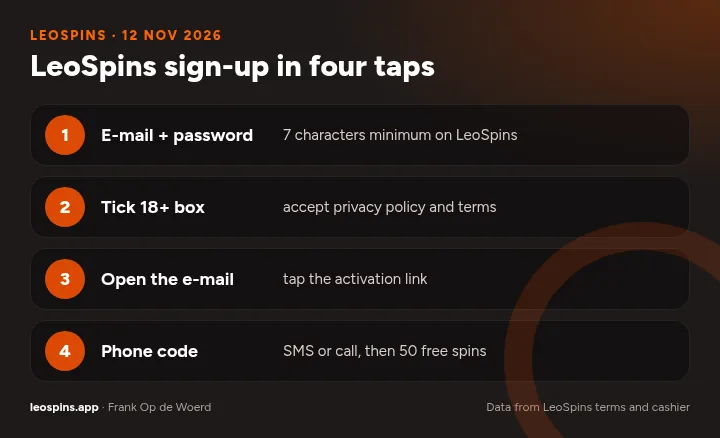
- E-mail + password 7 characters minimum on LeoSpins
- Tick 18+ box accept privacy policy and terms
- Open the e-mail tap the activation link
- Phone code SMS or call, then 50 free spins
What can you do after logging in?
The lobby looks the same, but every button now does something. Game tiles open real money play. The cashier has two tabs, Deposit and Withdraw, plus your Withdrawable balance, Bonus balance and Wager progress. Your profile holds personal details, date of birth, notification preferences and the password change.
| Area | What you find there |
|---|---|
| Cashier | Deposit, withdraw, cancel a pending withdrawal, bonus and wager progress |
| Free spins | Available spin sets: Playing, Up next, Activate |
| Profile | Details, date of birth, notifications, password |
| Support | Chat support button and [email protected] |
Why does the LeoSpins login fail?
Most failed logins come down to four things, and each one has a quick fix.
| What you see | Likely reason | Fix |
|---|---|---|
| Wrong details | Typo or a space in the e-mail | Retype by hand, use the eye icon |
| No activation | E-mail link never opened | Search inbox and spam for LeoSpins |
| "Access unavailable in your region" | Blocked country or a VPN | Turn the VPN off, the terms ban it |
| Reset mail missing | Spam filter or slow mail | Wait 30 minutes, send again, then write to support |
Do not open a second account because the first one is stuck. One person, one account is the rule, and a second account can freeze both along with any winnings.
Login and sign-up, all in one answer
How do you sign up and log in?
Sign-up takes under a minute. Tap Register, enter your e-mail and a password of at least 7 characters, tick the 18+ box and tap Create free account. LeoSpins sends an activation mail straight away. Open it on the same device, tap the link, and you land on the login page with a success message.
Logging in is just as short. Tap Log in, type the same e-mail and password and tap Sign in. On a phone the button is in the bottom bar. If you added LeoSpins to your Home Screen, the app icon opens straight to the lobby and keeps you signed in until you log out.
Lost your password? Tap Forgot password, enter the e-mail you registered with and submit. A reset link arrives by mail. Pick a new password, confirm it, and you are sent back to the home page. If nothing arrives within 30 minutes, look in spam, submit the form again, then contact support at [email protected].
Confirming who you are comes in two parts. The phone step is quick: enter your number, get a code by SMS or a call, type it in, and with notifications on the 50 free spins on The Ultimate 5 are yours. The document step comes before your first withdrawal: a photo ID valid for at least 3 more months, a selfie holding it, and a bill or bank statement from the last 3 months in your name.
Keep it to one account per person, play from the country you live in without a VPN, and use the same payment method for deposits and withdrawals. Do those three things and the login screen is the only part of LeoSpins you will barely think about.
- Register with an e-mail you can open right now
- Use a unique password of 12 characters or more
- Tap the activation link in the LeoSpins e-mail
- Confirm your phone by SMS or call for 50 free spins
- Add LeoSpins to your Home Screen for quick login
- Upload ID, selfie and a recent bill before you withdraw